NETWORK TROUBLESHOOTING · UPDATED SEPTEMBER 29, 2026
Best IPTV Box for Weak Wi-Fi? Fix Buffering Before You Buy
If live TV freezes when the rest of your internet seems fine, a new streaming box may help — but it cannot repair a weak signal or an overloaded stream source. Diagnose the connection first, then choose a device that suits your room.
Does a better IPTV box fix weak Wi-Fi?
Sometimes, but not by itself. A streaming player receives video through your home network and decodes it on the device. If Wi-Fi packets are dropping between the router and TV, the box cannot recreate the missing data. If the stream source is busy, changing the box or moving to a faster internet plan often will not solve that either.
Look for a pattern before shopping: does buffering happen only on one television, only in one room, only at busy evening hours, or on every device? A problem limited to one room points toward local Wi-Fi coverage. A problem on every device at the same time can point to the router, ISP route, or the stream source. This is a diagnostic clue, not a guarantee.
A 10-minute checklist before buying hardware
- Compare devices in the same room. Run the same legal video stream on the TV box and a phone connected to the same Wi-Fi. If both struggle there, suspect coverage or interference rather than only the TV box.
- Move close to the router for one test. If playback becomes steady near the router, the far room is the likely issue. Try relocating the router, a wired access point, or mesh satellite placement before replacing the player.
- Try Ethernet if available. Temporarily connect a laptop or streaming device with a cable. If it is stable while Wi-Fi is not, a wired path may be the simplest fix. Check whether a Fire TV Ethernet adapter is compatible with your exact model; some sticks require an accessory and remain limited by the adapter and network speed.
- Check local network conditions. Pause large uploads and downloads, reboot the router once, and compare 2.4 GHz with 5 GHz if both are available. 5 GHz can be faster nearby but usually passes through walls less effectively; the best band depends on your home.
- Separate app problems from network problems. Test another video app or a different channel/source you are authorized to access. If only one source fails, contact its provider rather than buying a new box.
- Record when it happens. Note time of day, device, app, Wi-Fi band, and whether other devices were active. A repeatable pattern is more useful than a single speed-test result.
A speed test measures a short download to a nearby test server. It does not prove that a particular live stream endpoint is reachable without packet loss or congestion.
Which streaming box is best for IPTV in a weak-Wi-Fi room?
| Device | When it makes sense | Network considerations |
|---|---|---|
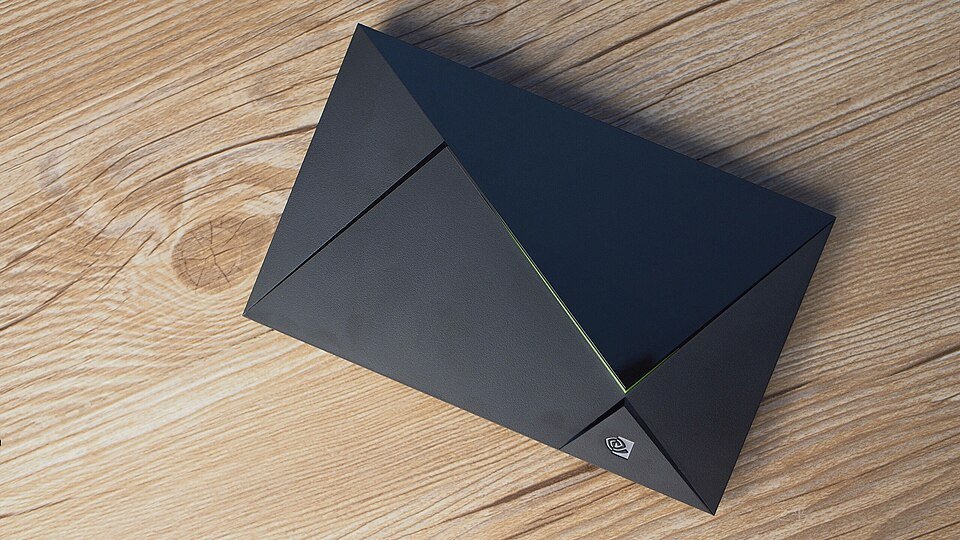
| NVIDIA Shield TV Pro | You want an Android TV box and can use its built-in Gigabit Ethernet, or have a strong Wi-Fi signal and want a premium device. | Wired Ethernet is its practical advantage for a difficult wireless room. AI upscaling affects picture processing, not signal strength or server buffering. |
| Amazon Fire TV Stick 4K Max (2nd Gen) | You want a compact, less expensive option for a room with usable Wi-Fi and the streaming apps you need. | It supports Wi-Fi 6E when paired with a compatible router. It has no full-size built-in Ethernet port; check adapter compatibility and cost if a cable is required. |
| Formuler Z11 Pro Max | You prefer a set-top box with an IPTV-focused interface and wired-network capability. | Compare the exact retailer listing, supported apps, OS version, ports, and warranty in your country. Do not assume a dedicated IPTV interface improves weak wireless coverage. |
| Xiaomi TV Box S (2nd Gen) | You want an affordable Google TV interface and mainly use Wi-Fi. | Confirm wired-network accessory support and local availability before purchase. Choose it for your app ecosystem and budget, not as a Wi-Fi range extender. |
For more model-specific notes, see our TV box comparison and Fire TV Stick 4K Max IPTV setup guide. Product generations and prices change; check the manufacturer or retailer page for the exact regional model before purchasing.
Buying checklist for IPTV streaming devices
- Network port: Does the device have built-in Ethernet, or do you need a separately sold adapter?
- Router compatibility: A newer Wi-Fi standard is useful only if your router supports it and coverage is adequate.
- App compatibility: Check your chosen player in the official app store or developer documentation for the device OS. Apps and policies change.
- RAM and storage: Consider the apps you actually install; storage does not increase internet speed.
- Resolution and codecs: Match the device to your TV and video sources rather than paying extra for unused features.
- Returns and warranty: Buy from a seller with a clear return policy, especially for imported or unfamiliar boxes.
Frequently asked questions
What is the best IPTV box for weak Wi-Fi?
There is no box that can make a poor Wi-Fi signal strong. If you can run Ethernet, a device with a built-in port such as NVIDIA Shield TV Pro is a sensible wired option. If you cannot, improve router placement or coverage first, then choose a player that works with your apps.
Will Wi-Fi 6E stop IPTV buffering on Firestick?
Not automatically. Wi-Fi 6E requires a compatible router and suitable signal; it cannot fix a remote server bottleneck, ISP routing issue, or weak signal caused by distance and walls. Compare playback beside the router before attributing the problem to the stick.
Is Ethernet better than Wi-Fi for live TV?
A good wired Ethernet connection is usually more consistent than a congested or weak Wi-Fi link. However, Ethernet does not guarantee a smooth stream if the internet route or source is overloaded.
Does a faster internet plan always stop buffering?
No. A higher advertised download speed may not fix packet loss, weak Wi-Fi, device issues, or source-side congestion. Diagnose the specific path and test more than one service.
Can a TV box include live channels?
A streaming device and a media-player app are not the same as a television subscription. Use authorized apps and services, and check the provider's rights and terms in your location.
Sources and fact-checking
Device connectivity details were checked against manufacturer specifications on September 29, 2026. Individual retailer bundles, generations, and regional variants can differ.
- NVIDIA SHIELD TV Pro specifications
- Amazon Fire TV device specifications and comparison
- Google Search Central: JavaScript SEO basics